Due date: Tuesday, Feb 24 @ 11:59pm
IMPORTANT
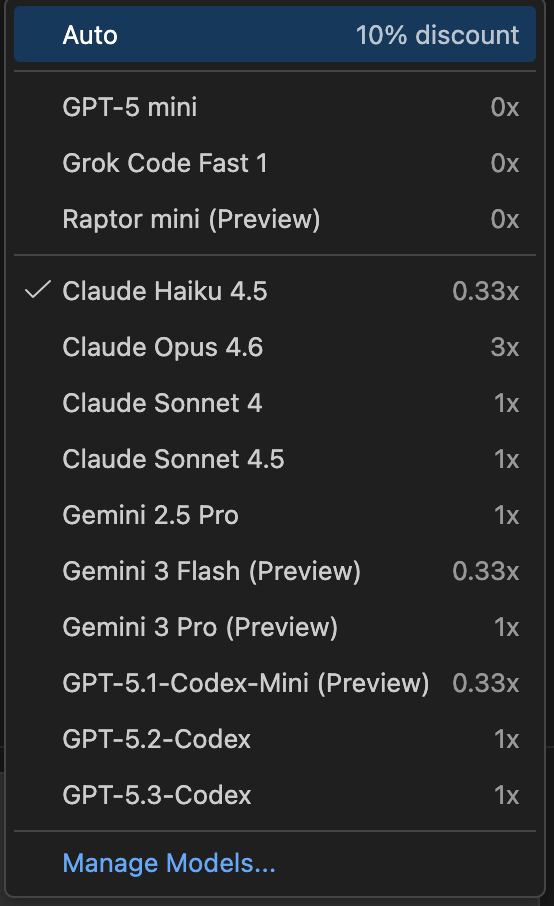
Please only use Edit and Ask mode for this homework assignment. Do NOT use Agent and Plan mode.
Please also ensure that you see a model picker like this one in your Github Copilot tab.
Part 1: Extension Setup
Motivation
As a way to help reduce the overhead of documentation, you will not submit a process journal or UML diagram for Homework 5.
To still capture some of your process, we have developed a custom VS Code extension. In Part 1, you will be setting up this VS Code extension.
Task
Navigate to the Extensions tab in VS Code. It should look like this:

Type “ProcessTracker” in the search bar. It should come up with an extension like this:
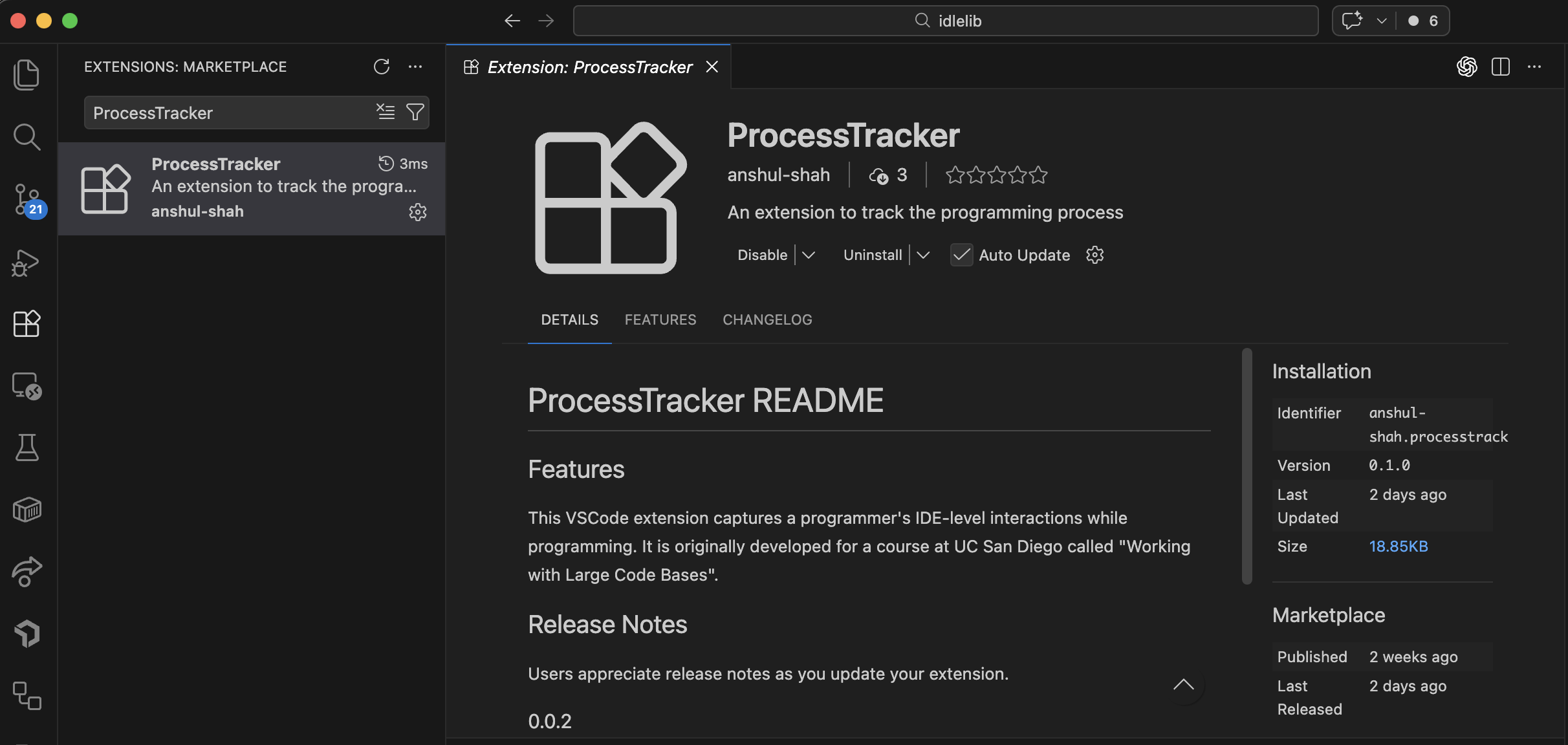
Confirm that the author is anshul-shah. Click “install” to install the extension.
Close and reopen VS Code.
Include a screenshot of the extension installed in your homework 5 folder.
IMPORTANT NOTE: This extension will be used to capture your process for Homework 5, so make sure to keep it installed and use it throughout your work on this homework. You will be exporting the logs from this extension as part of your submission for Homework 5, so make sure to use the extension throughout your work on this homework to capture your process effectively.
Part 2: Rename Local Identifier in File
Motivation
Refactoring tools like “Rename Local Identifier” differ from standard “Find and Replace” by offering semantic precision. A simple find/replace operation treats code as plain text, which leads to errors like accidentally modifying text inside string literals (e.g., changing a UI message because it matches a variable name).
While IDLE already has a “Replace Dialog,” it is a general-purpose text tool. In this assignment, you will implement a Context-Aware Rename Tool. Unlike the standard Replace Dialog, this feature will automatically identify the symbol under the cursor and ensure that actual code identifiers are renamed, ignoring strings and comments. You will initially be tasked with adding the option to simply rename the local identifier of a symbol, with some basic safety checks.
Task
Implement a Rename Local Identifier in File… feature for the IDLE editor that only edits exact matches, not partial substrings. Rename Local Identifier in File… should be able to be used only in the Editor Window, and rename the selected identifier throughout the current file (but should ignore comments and strings, as mentioned before).
Required Features
- Add
Edit → Rename Local Identifier in File…in the menu options - Add
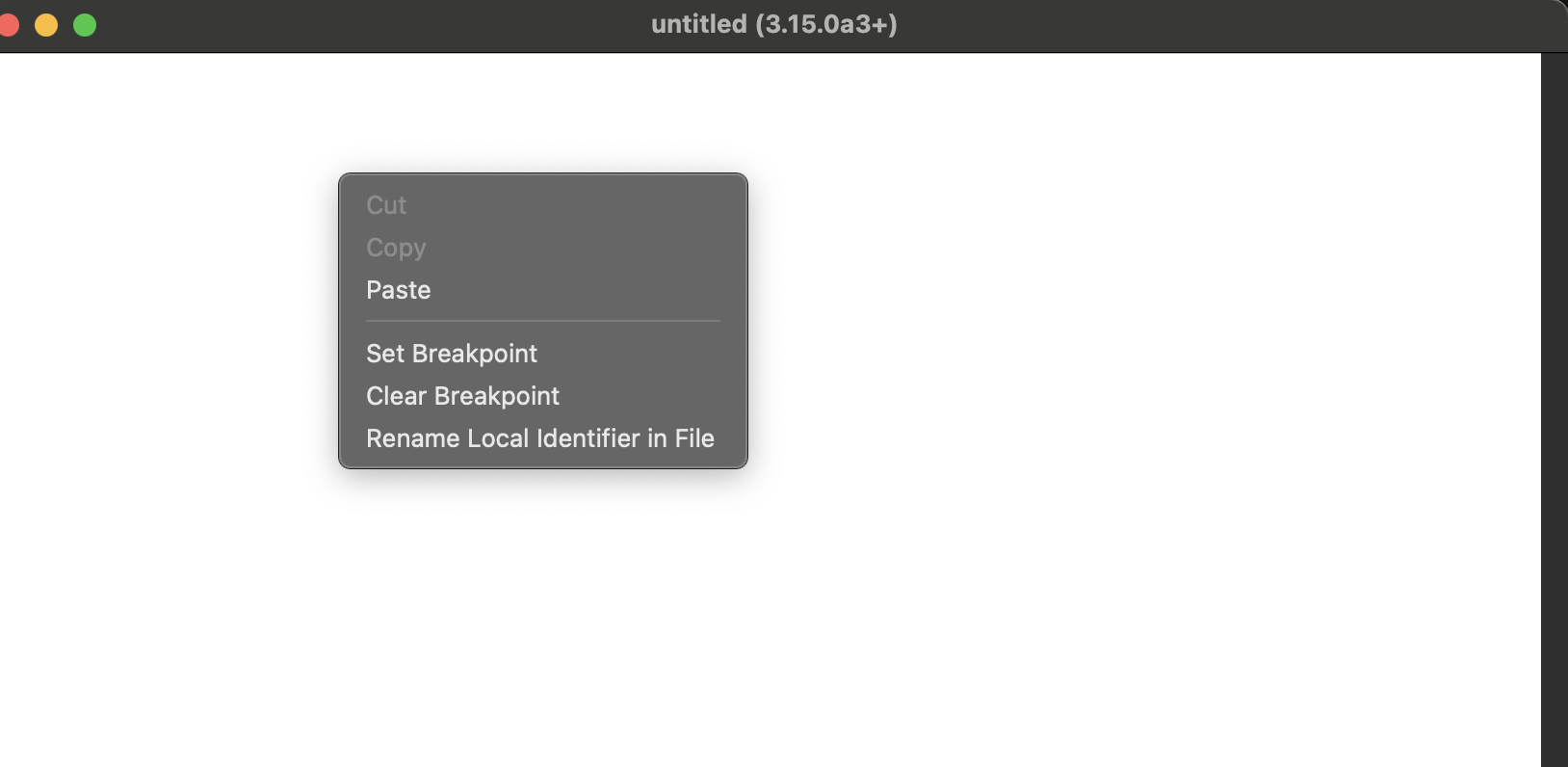
Rename Local Identifier in Filein the context menu (accessed byCTRL-CLICKor a right click)
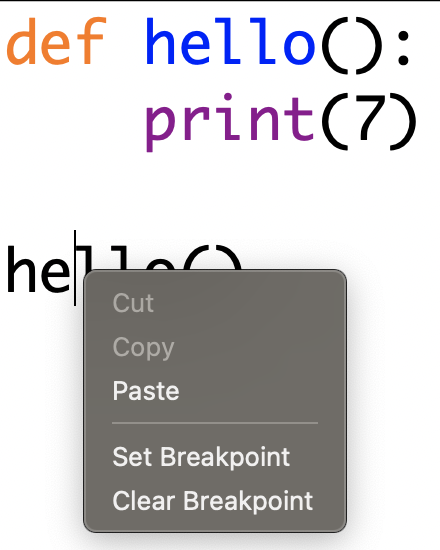
After you add the feature, it should look like this:
-
Once the Rename Local Identifier option is run, it must be undoable in a single undo action.
-
Upon activating the feature on an invalid symbol (such as operators like
=), show an error popup. This error should appear if the user attempts to rename whitespace, tabs, string literals, comments, etc. using this feature. -
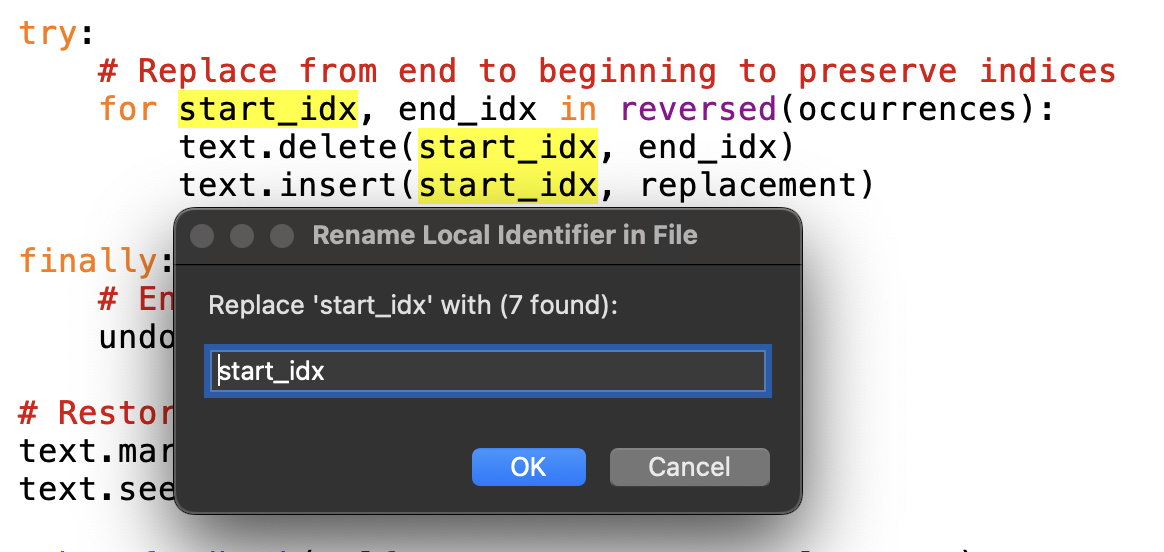
Upon activating the feature on a valid symbol, the feature should prompt the user for the new name of the symbol. The feature should first show the user how many replacements will occur in the dialog box before allowing the user to complete the “Rename Local Identifier” command.
-
Upon activating the feature, all instances in the editor background should be highlighted before the final confirmation so the user can clearly see which instances will be changed.
-
Once the user confirms the change, all instances should be changed. The cursor should remain on the symbol it was on when the feature was triggered. The rename must be undoable in one undo action.
Note: This feature you will implement is somewhat similar to (but less advanced than) VS Code’s “Rename Symbol.” Similarties include how VS Code “Rename Symbol” and our feature prevent renames in strings and comments, and prevents renames of operators. The difference is that VS Code’s “Rename Symbol” performs a “semantic rename” and does not have some of the bells and whistles that we do (how many symbols renamed, etc). This means it does not need to handle scope awareness, shadowing safety (i.e., preventing a name change from accidentally “hiding” an existing variable in a nested scope), import awareness (i.e., renaming imported modules without affecting unrelated local variables), closure / capture tracking (i.e., maintaining the link between a function and the external variables it “remembers”), global and nonlocal correctness (i.e., ensuring explicit scope declarations stay synced with their source), cross-file consistency (i.e., updating references across different files), inheritance and overrides awareness (i.e., ensuring method names match across parent and child classes), or attribute vs variable separation (i.e., distinguishing between a standalone variable and an object property of the same name), etc.
Submission
Please submit this by 11:59PM on Friday, February 20th, 2026. Use the pull request template and make sure to include screenshots of your new feature in action.
Important: You will NOT submit a process journal or a UML diagram for Homework 5.
Instead of using this repository, you will document your work by exporting your logs to a separate folder named homework-5. Please submit the following:
- GitHub Copilot Chat Logs: Export your full conversation history from the session. To do this, open the Command Palette (typically Ctrl+Shift+P or Cmd+Shift+P) and type: “Export Chat” This will export your Copilot chat history, which includes all interactions you’ve had with GitHub Copilot during your work on this homework. Save the resulting file as
copilot_chat.txtin thehomework-5folder.

- VS Code Extension Logs (
process.txt):-
Open the Command Palette (typically Ctrl+Shift+P or Cmd+Shift+P).
-
Type and select: Export Process Data. This will export the logs from the ProcessTracker extension. It will create a file called
process.txtin the directory that you have open in your VSCode. The file includes some of your interactions with VSCode during the project. This file will be considered as your process journal for this homework, so make sure to keep the extension enabled while you work on HW5 and to export the process data before making your pull request.
-

- Move the resulting file (which should be called
process.txt) in thehomework-5folder.
Homework Assessment
You should have gotten an email confirming whether you will do an oral exam for this homework or submitting a video explaining your code.
Changelog:
- (2/17) We have updated the “Requirements” of this HW writeup to more clearly list out the requirements.